
 LMS Component for Joomla 5 & 6
EasyLearn
Build a complete learning platform on your Joomla site. Courses, quizzes, certificates and frontend administration — everything your organization needs to deliver online training.
What you can build with EasyLearn
Whether you run a single course or manage training for multiple organizations, EasyLearn scales with you.
Corporate Training
Onboarding, compliance training, safety courses. Track who completed what and when. Issue certificates that expire and require renewal.
Schools & Academies
Organize courses by department or subject. Let instructors manage their own content while central admins oversee everything.
Multi-Tenant Platforms
Host multiple organizations on one Joomla site. Each sees only their own courses, students and data. Fully isolated through user groups.
Safety & Compliance
Mandatory courses with final exams. Certificates with expiry dates and automatic email reminders. Audit-ready completion tracking.
Instructor-Led Blended Learning
Combine online modules with instructor-led sessions. Use text blocks for theory, video for demonstrations, and quizzes to verify understanding.
Technical Documentation
Not just for training — use EasyLearn to create structured, trackable documentation with progress tracking and knowledge tests.
Organize content your way
Courses are organized in a clear hierarchy that makes sense for both creators and learners.
→ Course (e.g. Basic Fire Extinguisher Training)
→ Module (e.g. Chapter 1: Fire Types)
→ Lesson (e.g. Class A Fires)
→ Content Blocks (text, video, quiz...)
- Categories with unlimited nesting for departments or topics
- Modules to group lessons into chapters or sections
- Fixed or free lesson order — require sequential progress or let learners choose
- Drag-and-drop ordering for modules, lessons and content blocks
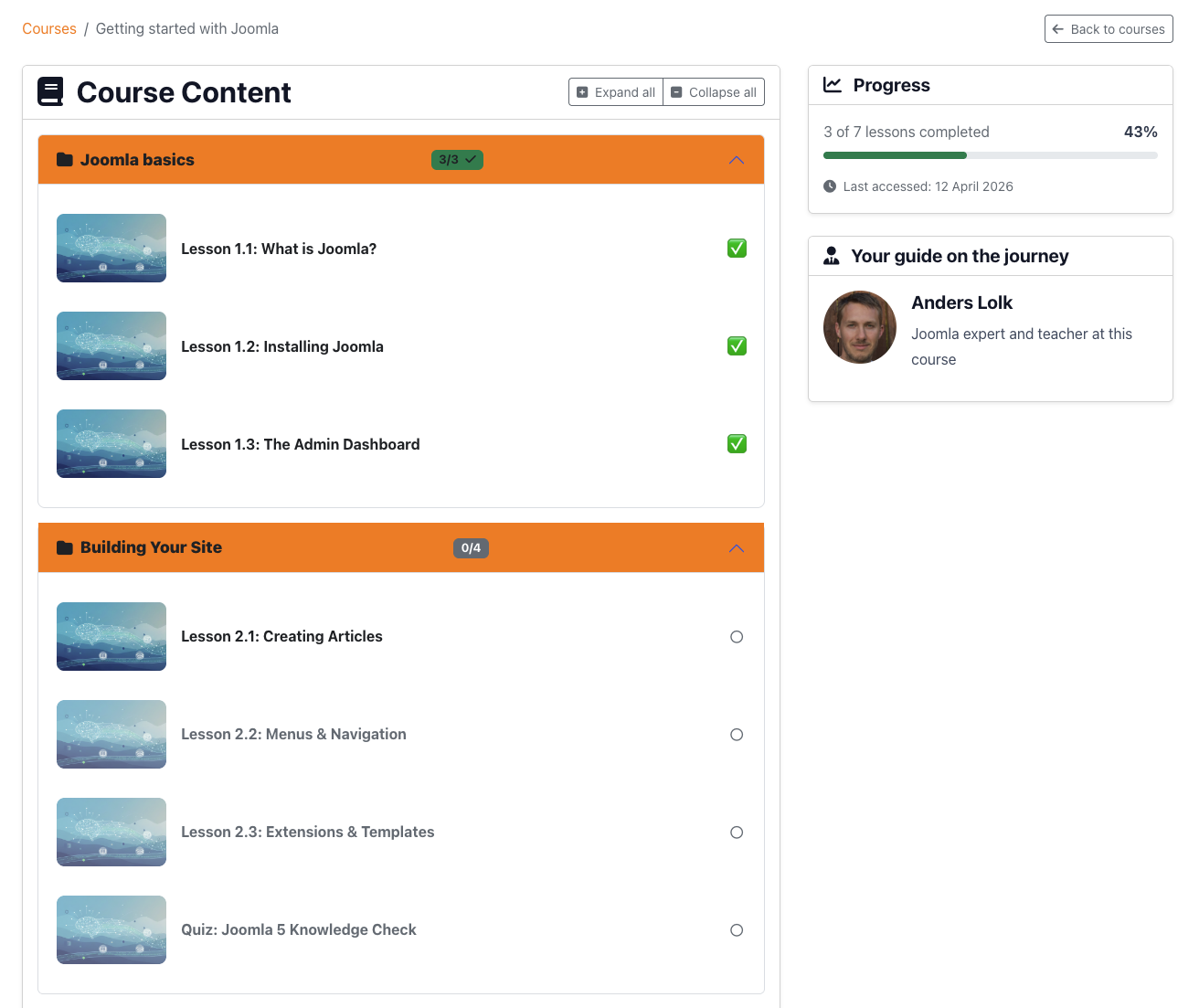
Five content block types
Each lesson is built from content blocks. Mix and match different types to create engaging learning experiences. Add as many blocks as you need in any order.
Text Block
Rich HTML content using Joomla's built-in editor (or JCE if installed). Write theory, add images, format tables — anything you can do in a Joomla article, you can do in a text block.
- Full WYSIWYG editor with all formatting options
- Inline images with automatic upload to the course folder
- Progress tracked by estimated reading time
Video Block
Upload your own videos directly to the server. Large file support with chunked uploads — no external hosting needed. Your content stays on your server.
- Supports MP4, WebM, OGG and MOV (configurable)
- Chunked upload for files up to 2 GB
- Playback controls: autoplay, show/hide controls
- Progress tracked by actual playback — marked complete at 95%
Embedded Video Block
Embed videos from YouTube or Vimeo. Just paste the URL — the block automatically detects the platform, extracts the video ID and creates the embed.
- YouTube and Vimeo auto-detection
- Optional start time, loop and autoplay settings
- Progress tracked by time visible on screen
Audio Block
Upload audio recordings for podcasts, narration, language courses or guided exercises. Same chunked upload system as video.
- Supports MP3, WAV, OGG, AAC, M4A and FLAC
- Native HTML5 audio player with controls
- Progress tracked by actual playback — marked complete at 95%
Quiz Block
Add knowledge checks anywhere in a lesson or create a final exam that gates the course certificate. Three question types with detailed scoring options.
- True/false, single choice and multiple choice
- Configurable passing score, time limit and max attempts
- Randomize questions and answer options per attempt
- Can be set as required — learner must pass to continue
More details in the Quiz & Exams section below.
Quizzes & final exams
Quiz blocks can serve two purposes: inline knowledge checks within lessons, or a formal final exam that determines whether a learner earns their certificate.
Inline quizzes
Place quiz blocks between text and video blocks to test understanding as the learner progresses. These can be optional or required to continue.
Final exam
Designate one quiz as the course's final exam. The learner must pass it to earn their certificate. You control the passing score, time limit and number of attempts.
When max attempts are reached
You decide what happens: either the learner can reset the course and start over, or the quiz locks and an administrator must manually unlock it.
Quiz configuration options
- Passing score: 0–100% (inheritable from global/category settings)
- Time limit: set in minutes, auto-submits when time runs out
- Max attempts: unlimited or set a specific number
- Scoring mode: proportional or all-or-nothing for multiple choice
- Randomization: shuffle questions and/or answer options
- Prerequisites: require specific lessons completed before exam
- Custom messages: configurable pass/fail messages (inheritable)
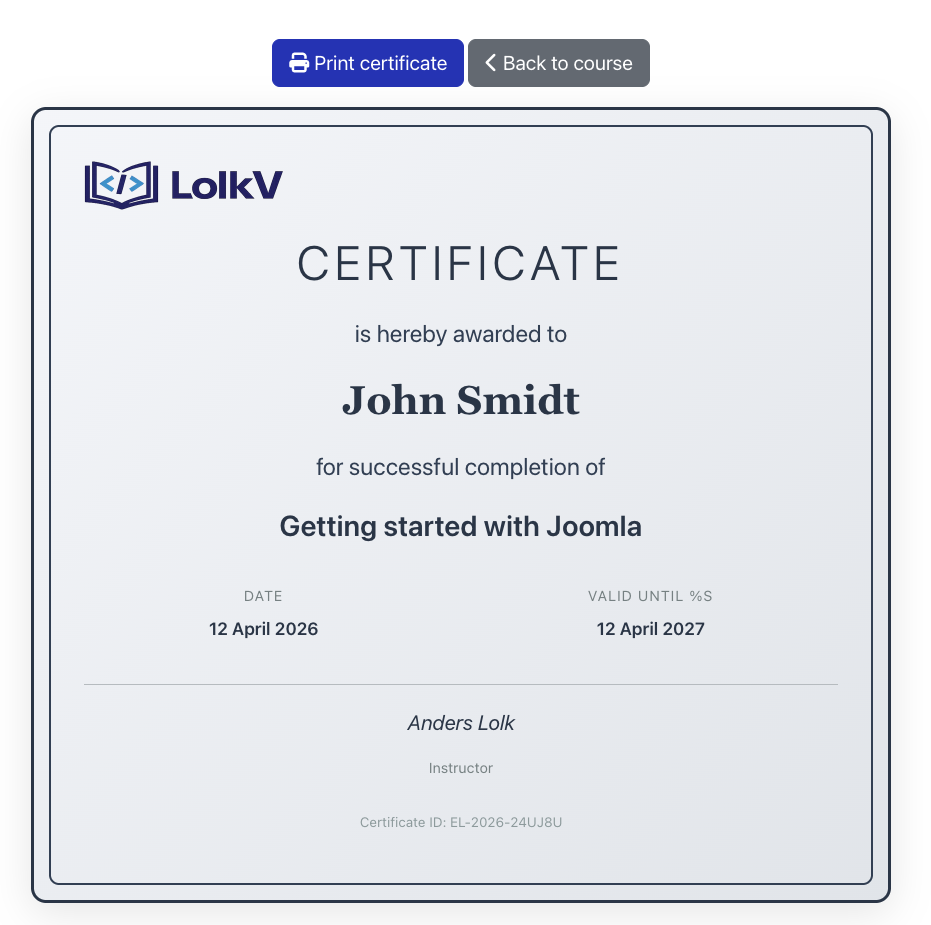
Certificates with expiry & renewal
Automatically issue certificates when learners complete a course or pass a final exam. Ideal for compliance training where certificates need to be renewed periodically.
- Auto-issuance: certificate created the moment the requirement is met
- Two modes: issue on course completion or on passing the final exam
- Validity period: set days until expiry (0 = never expires)
- Email reminders: configurable at 30, 7, 1 days before and after expiry
- Renewal flow: learner clicks "Renew", completes required material, gets new certificate
- Unique certificate number: e.g.
EL-2026-A8SKK6with configurable prefix - Print-friendly view: dedicated certificate page with organization logo
Detailed progress tracking
EasyLearn tracks progress at every level — from individual content blocks up to the entire course. Progress is based on actual engagement, not just page views.
- Video & audio: marked complete when 95% has been played
- Text blocks: tracked by estimated reading time
- Embedded video: tracked by time visible on screen
- Quiz: complete after first attempt (or after passing, if required)
- Lesson: complete when all blocks are done
- Course: complete when all lessons are done
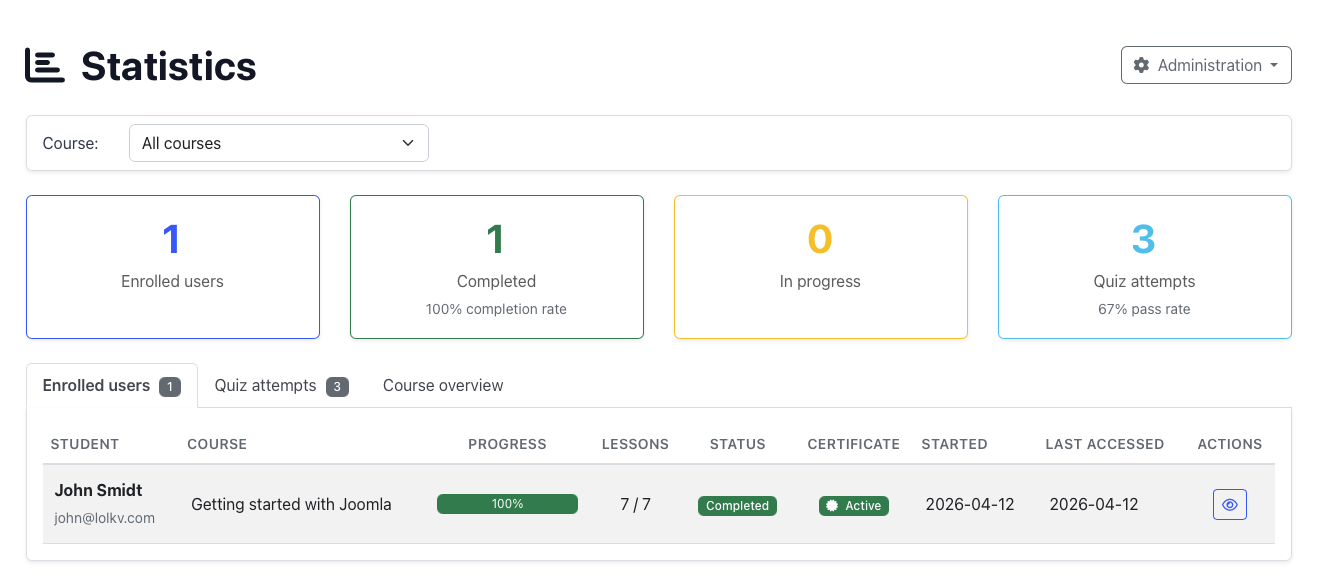
Administrators can view detailed statistics per student, including time spent, quiz scores, and completion dates.
Automatic enrollment from memberships
Sell access to your courses with the membership or subscription extension you already use. Pair a Joomla user group with one or more courses, and EasyLearn enrolls members automatically the moment they join that group — no custom development required.
- Works with Membership Pro, PayPlans, RSMembership and any extension that assigns Joomla user groups
- Pay → join group → auto-enrolled in the linked course(s)
- Optional enrollment email per group, with a customisable subject and body
- Only accessible courses can be linked to a group, preventing dead enrollments
- CLI sync command as a safety net for systems that assign groups directly in the database
How it works
→ Membership Pro adds them to a user group
→ EasyLearn auto-enrolls in the linked course(s)
→ optional enrollment email is sent
Because it is built on standard Joomla user groups, the same rule works no matter which extension assigns the group.
Full frontend administration
Let your clients manage their own training platform without ever seeing the Joomla backend.
Course Editor
Create and edit courses with a tabbed editor. Manage modules, lessons, content blocks, files and settings — all from the frontend.
Category Management
Create categories with unlimited nesting. Set access and admin permissions per category. Subcategories inherit settings from parents.
Instructor Profiles
Manage instructors with profile images and bios. Link instructors to Joomla users so they can handle quiz reset requests.
Student Statistics
View detailed progress per student: course completion, lesson status, quiz scores and certificate status. Reset progress when needed.
Certificate Overview
See all issued certificates across your courses. Filter by status: active, expired or superseded.
Reset Requests
When a learner runs out of quiz attempts, they can request more. Instructors or admins approve or reject from the frontend.
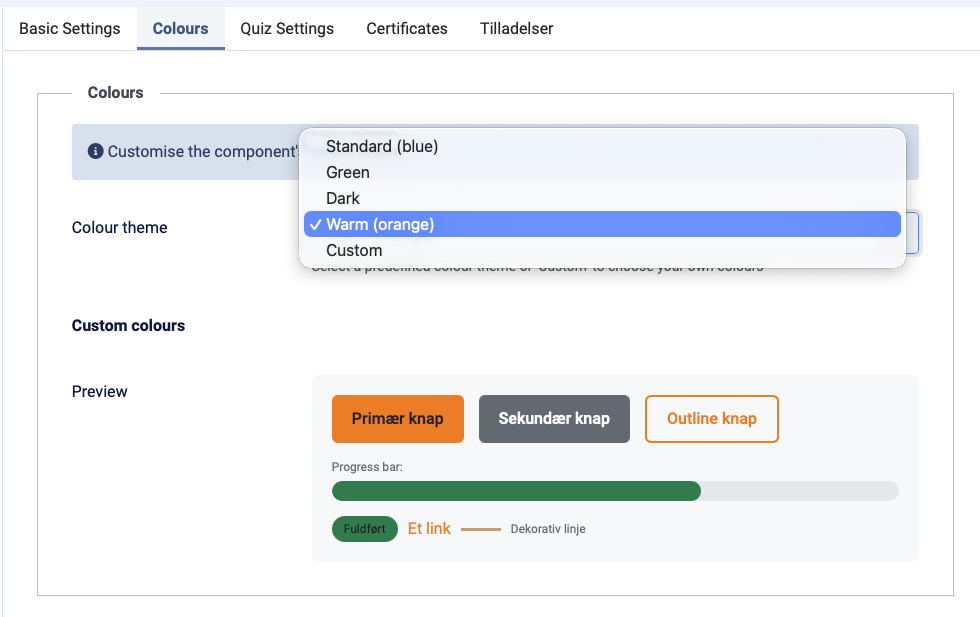
Customizable color themes
Make EasyLearn match your site's design. Choose from built-in presets or define your own colors. Colors only affect the EasyLearn component — your site header, footer and menu are untouched.
- 5 presets: Standard, Green, Dark, Warm and Custom
- 4 color slots: primary, secondary, success and accent
- 3-tier inheritance: set globally, override per category, override per course
- Automatic contrast: text colors adapt to ensure readability
A fire safety department might use red tones, while an HR department uses blue — all on the same Joomla installation.
Smart settings inheritance
Configure once at the top level. Override at any level below. No need to repeat yourself.
Settings that can be inherited include:
- Color theme and custom colors
- Certificate logo and ID prefix
- Certificate validity period
- Quiz pass/fail messages
- Default passing percentage
- Email notification templates
- Certificate reminder schedule
- Renewal requirements
The editor shows clearly which values are inherited and which are overridden at the current level.
Group-based permissions
Control who can access courses, who can administer them, and who can view statistics. All based on Joomla user groups with hierarchical inheritance.
Three permission levels per course
- Access groups: who can take the course (hierarchical — child groups inherit access)
- Admin groups: who can edit the course and manage content (hierarchical)
- Statistics groups: who can view student progress and certificates (direct match)
Category-level permissions
Set access and admin permissions on categories. All courses in that category (and sub-categories) inherit the permissions automatically.
Multi-tenant example
→ Company A (category)
→ Admin: "Company A Admins"
→ Access: "Company A Staff"
→ Courses: only visible to Company A
→ Company B (category)
→ Admin: "Company B Admins"
→ Access: "Company B Staff"
→ Courses: only visible to Company B
Company A cannot see Company B's courses, students or statistics.
Ready to build your learning platform?
Get EasyLearn with a subscription plan. Includes all updates and technical support.
View Pricing